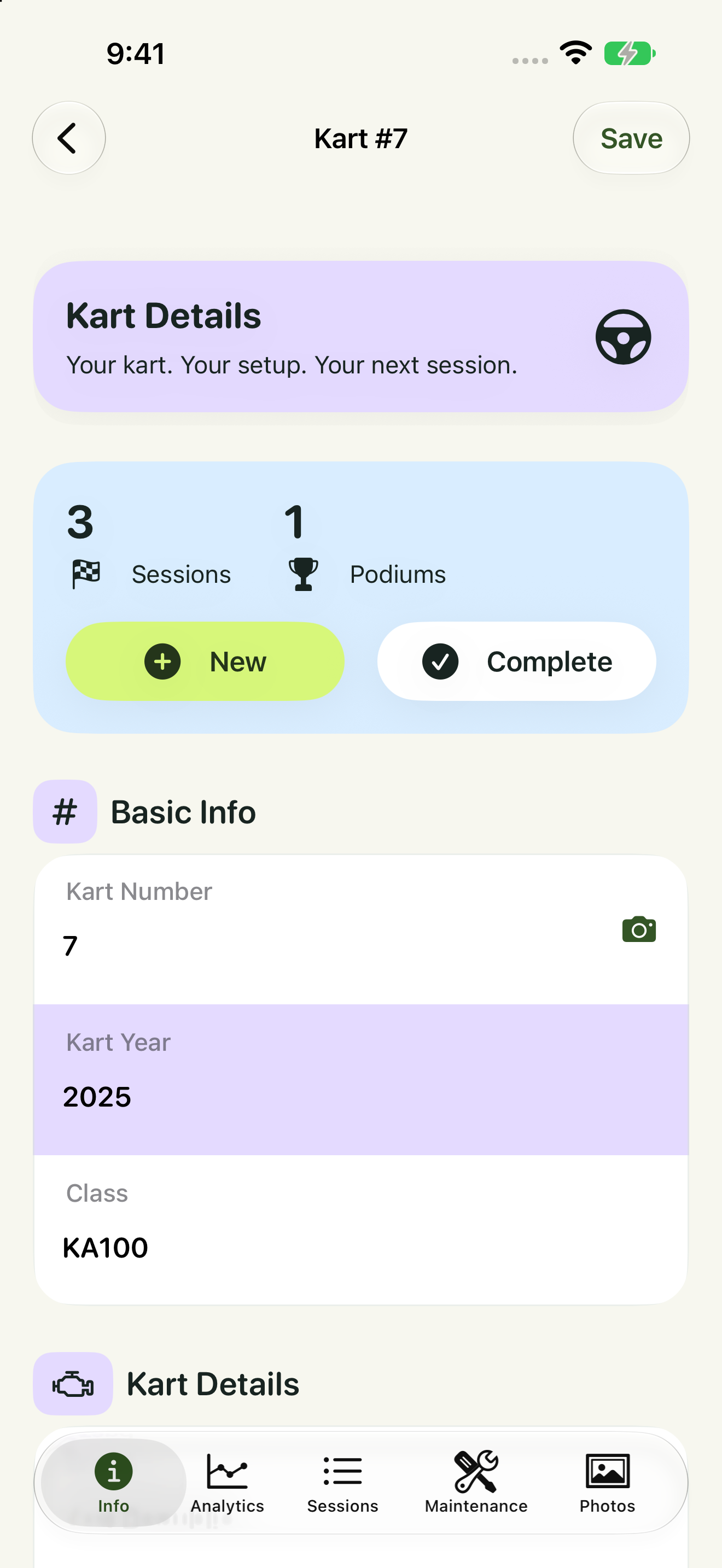
Your kart, properly recorded
Keep each kart’s identity, chassis and engine details with its sessions, photos and service history.
 Drive Logic
Your complete karting record: setup, tires, sessions, results, maintenance and analysis. Now with Live Timing, Team Communications, push notifications and Driver Profiles—bringing the whole race day together in 5.0.
Version 5.0 is available and rolling out across App Store storefronts. Live Timing, Team Communications and team synchronization require an appropriate Team subscription.
Get kart 77 ready, head out into the action, then bring the results back to the paddock. A quick look at keeping your setup, tires, sessions and team together—with real app flows and close racing.
Go step by step: the full iPhone tutorial ↓Real kart 77 records, separate onboard racing footage and a supported Live Timing event. Team syncing and Live Timing require a Team subscription; event coverage varies.
Come along as we get kart 77 ready for the track. Set up your kart, tires and driver, record a session, capture the dash and review the results. Then bring your mechanic, parent or coach into the team.
Real iPhone simulator flows and kart 77’s equipment and history, with separate onboard racing and a supported Live Timing event. English captions and chapter navigation are available on YouTube. Team syncing and Live Timing require a Team subscription; AI photo processing is a separate option.
Watch the iPhone tutorial on YouTube →See kart setup, tires, session results, AI-assisted capture, analysis, maintenance and real Event Reports—then explore the new Live Timing, Driver Profiles and Team Communications. Narrated with an ElevenLabs voiceover.
Authentic app captures from the 5.0 development build. Live Timing demonstration uses the built-in Mock provider. Version 5.0 is now rolling out worldwide. Live Timing and Team Communications require a Team subscription. Review AI-assisted capture and analysis before saving.
Build the history of your kart from first setup to the post-race debrief. Keep the settings, tires, conditions, results and maintenance together, then use those records to decide what to test next.
Keep each kart’s identity, chassis and engine details with its sessions, photos and service history.
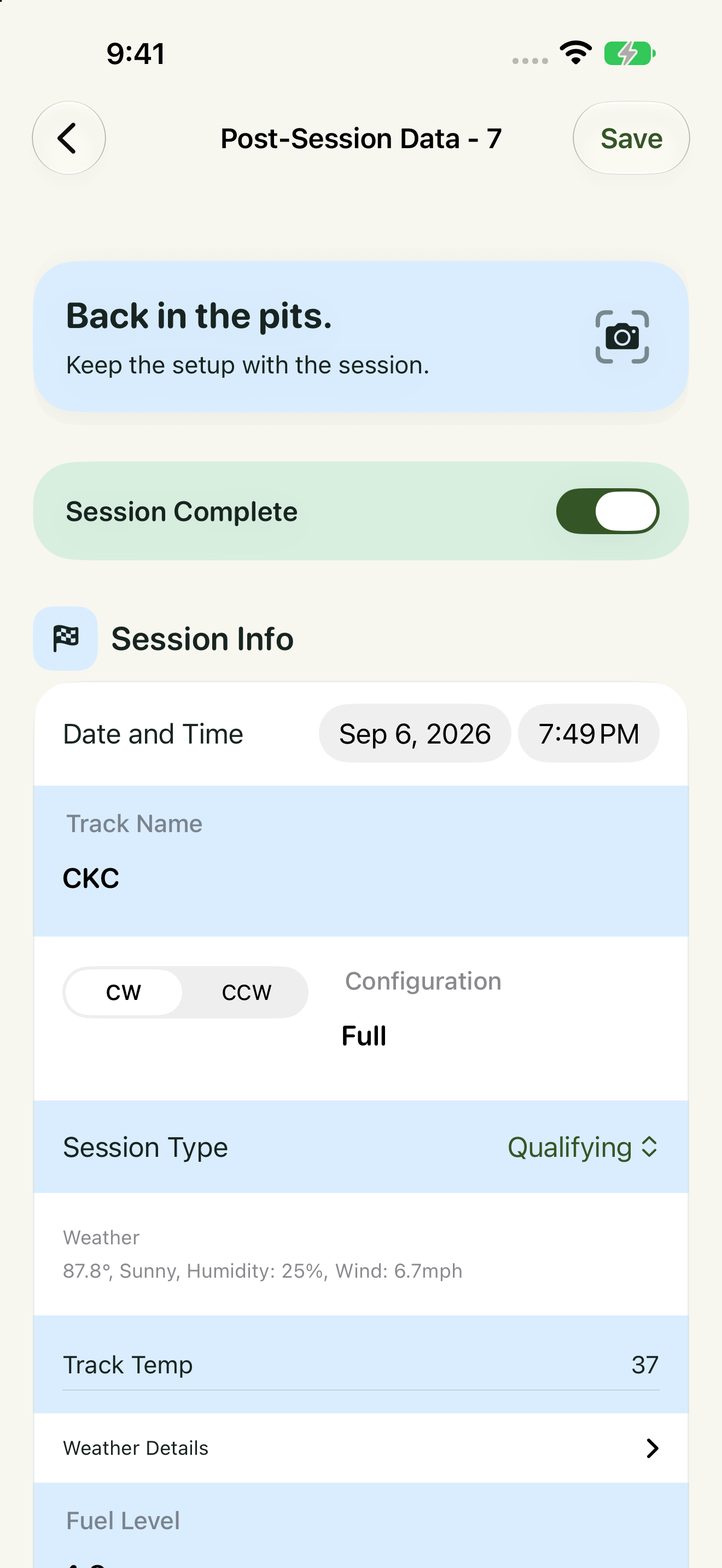
Record the track, layout, direction, conditions, setup and driver feedback before and after running.
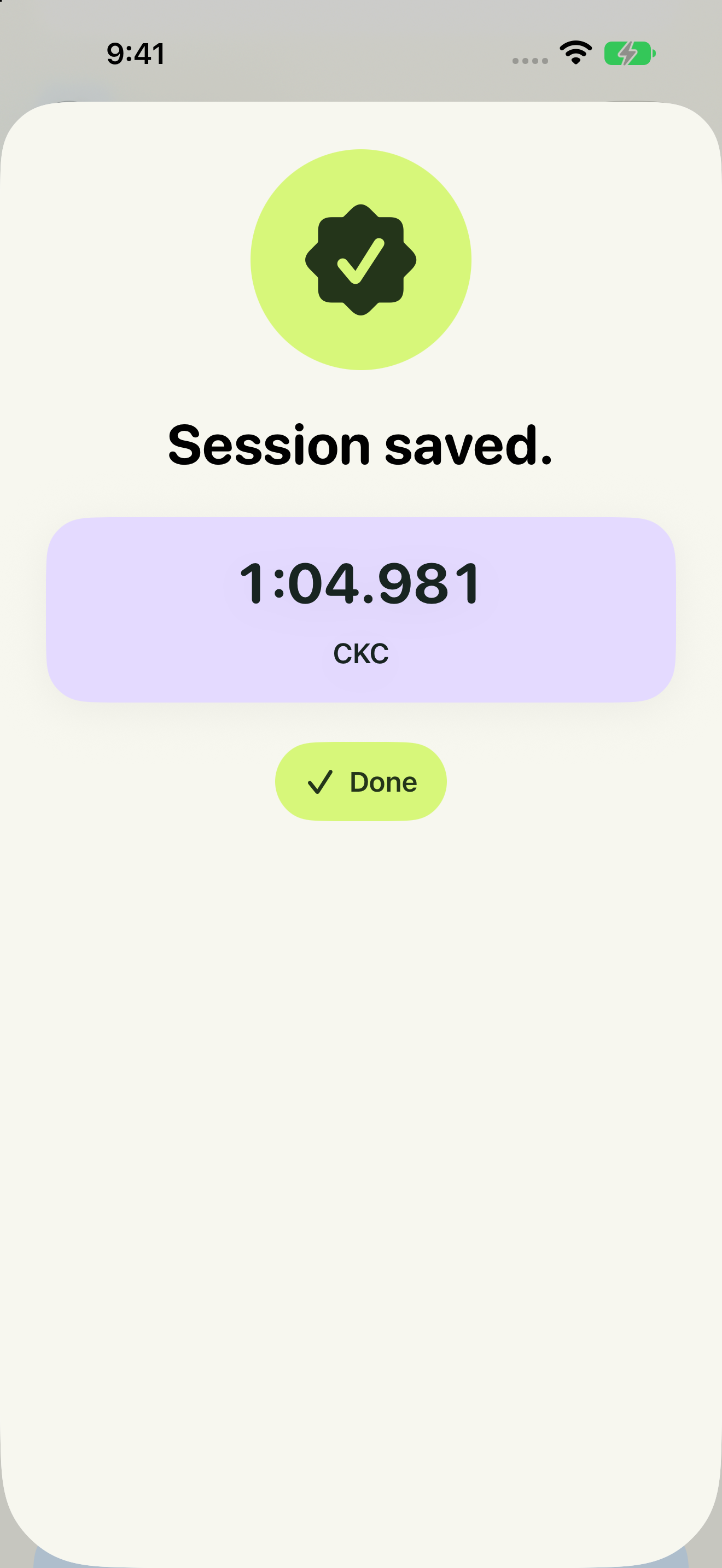
Keep session performance alongside the setup that produced it, rather than in a separate notebook.
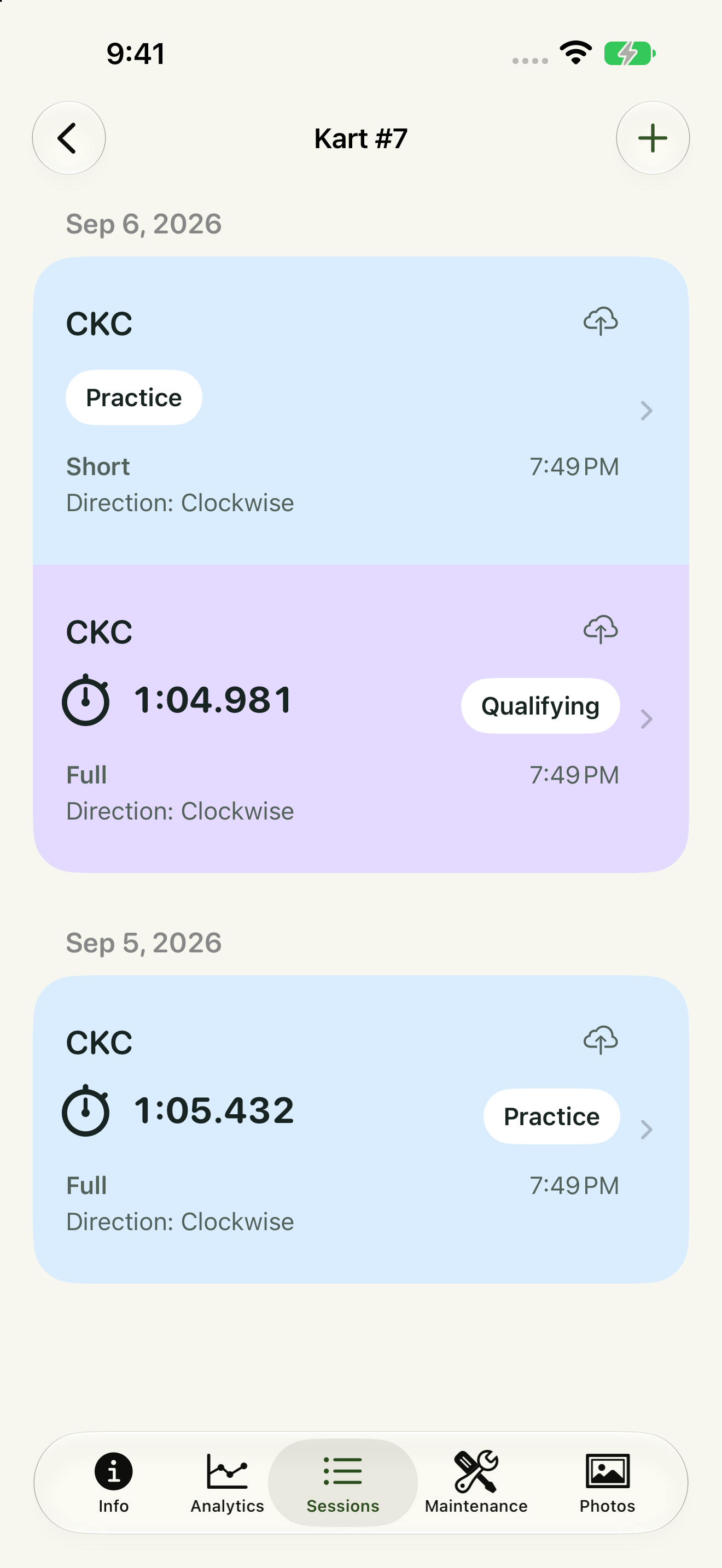
Browse completed sessions and find the records you need for the next visit to a track.
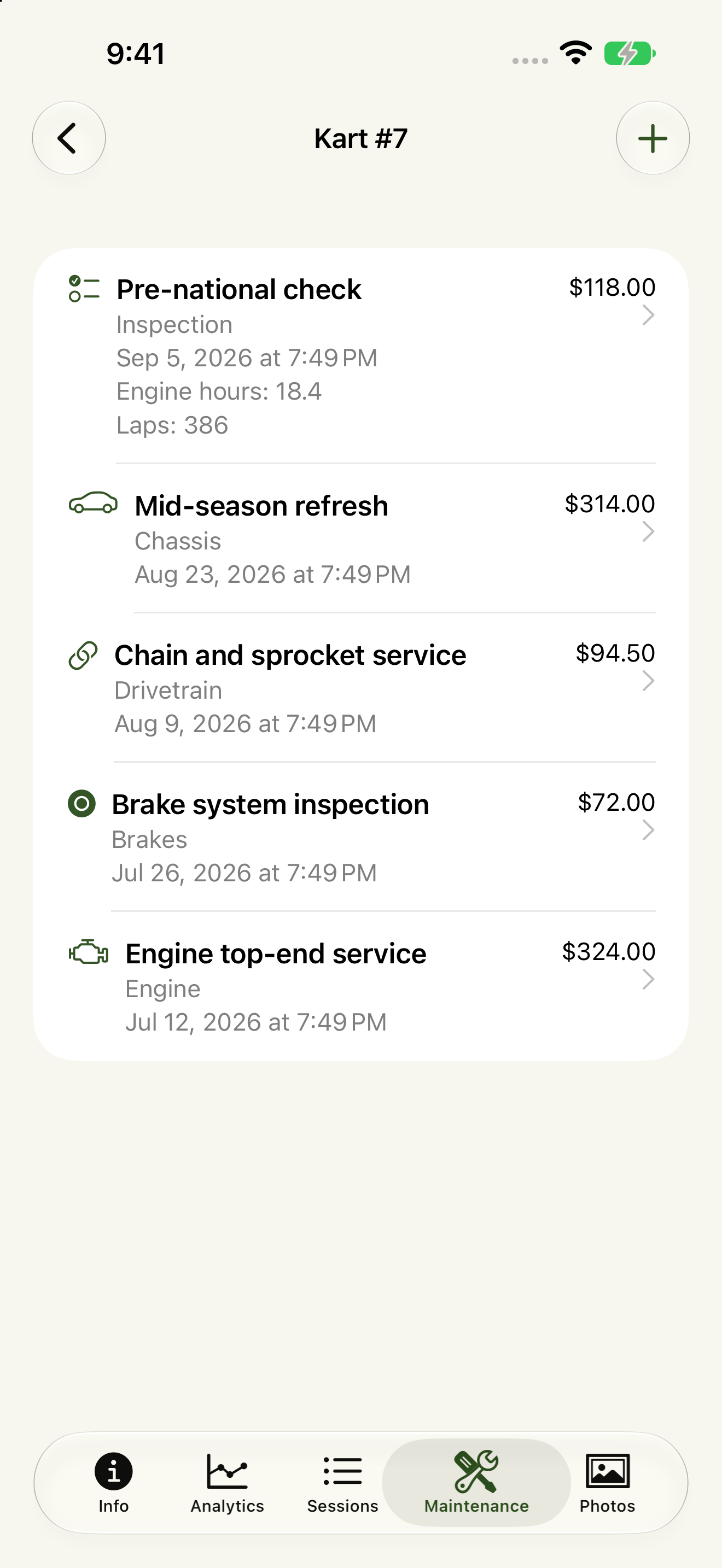
See past work with the kart it belongs to, ready for the next race weekend.
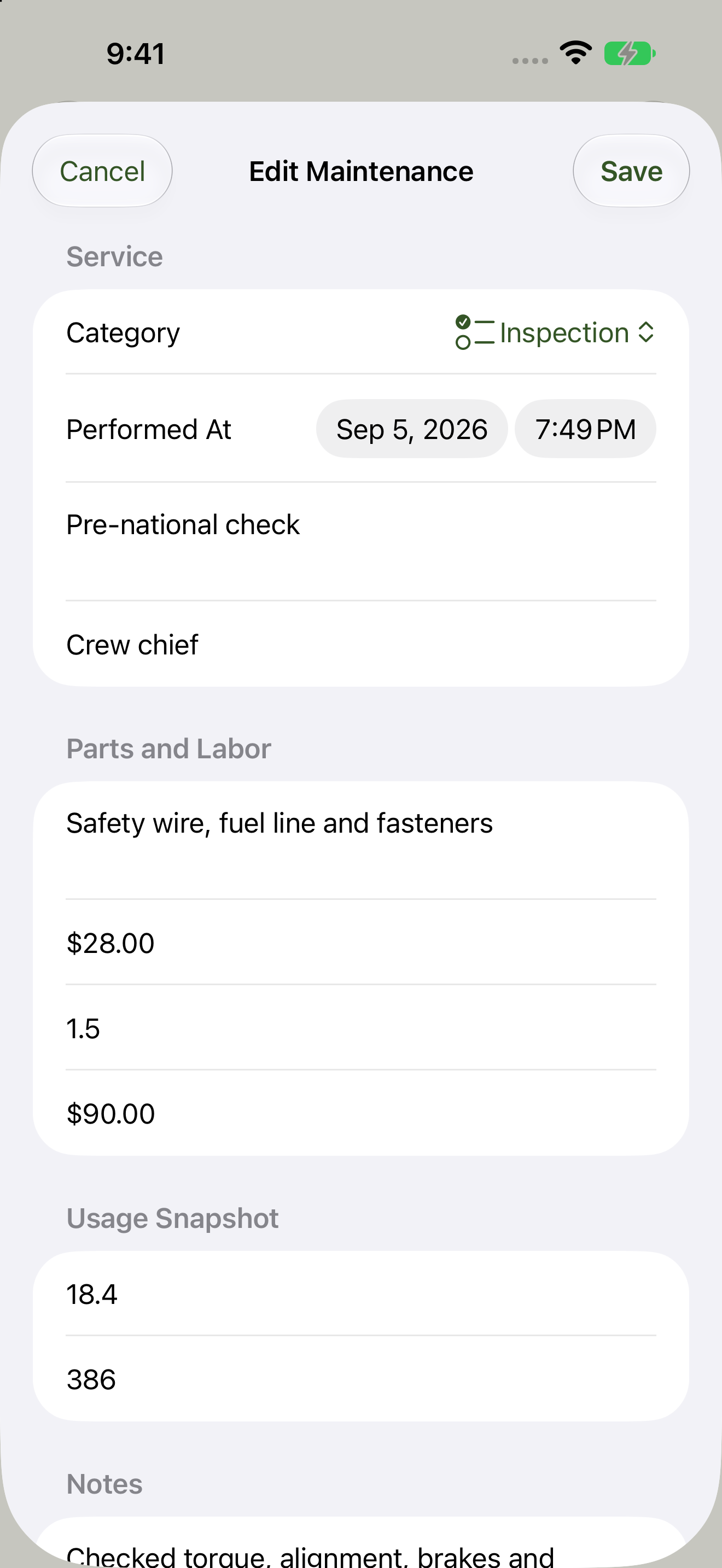
Record work performed, parts, costs, technician, engine hours, lap count and notes.
Core workflow screens captured in 4.0; these established features remain part of 5.0. The 5.0 screens and video below demonstrate the new team and timing features. Select a core screenshot to view it full size.
Manage multiple karts and record chassis settings, engine details, gearing, sprockets and fuel. Keep setup changes tied to the session.
Track tire sets, usage and cold/hot pressures. Keep conditions and track temperature alongside them for useful comparisons.
Record track, configuration and direction, with weather and session conditions, so unlike runs are not mistaken for like-for-like tests.
Plan a session, complete it after the run, and keep lap times, performance, official results, driver feedback and photos together.
Use supported photo and voice workflows for entry, including notes, official results sheets or a dashboard such as AIM. Photo processing requires an AI Image Processing subscription. Review extracted values before saving.
Compare recorded sessions by track and kart. Review personal bests, gearing, setup changes, cold/hot pressure baselines and lap consistency.
Select completed sessions and generate a shareable debrief for the driver, parent, mechanic or coach. Review AI-assisted findings and proposed next tests.
Keep service work, parts, costs, engine usage, lap count, notes and photos with each kart—not scattered across messages.
Bring parents, drivers, mechanics and coaches onto shared team records. Team features require a Team subscription.
Connect drivers to karts and see their session history, statistics and track/class personal bests. Add profile details and photos.
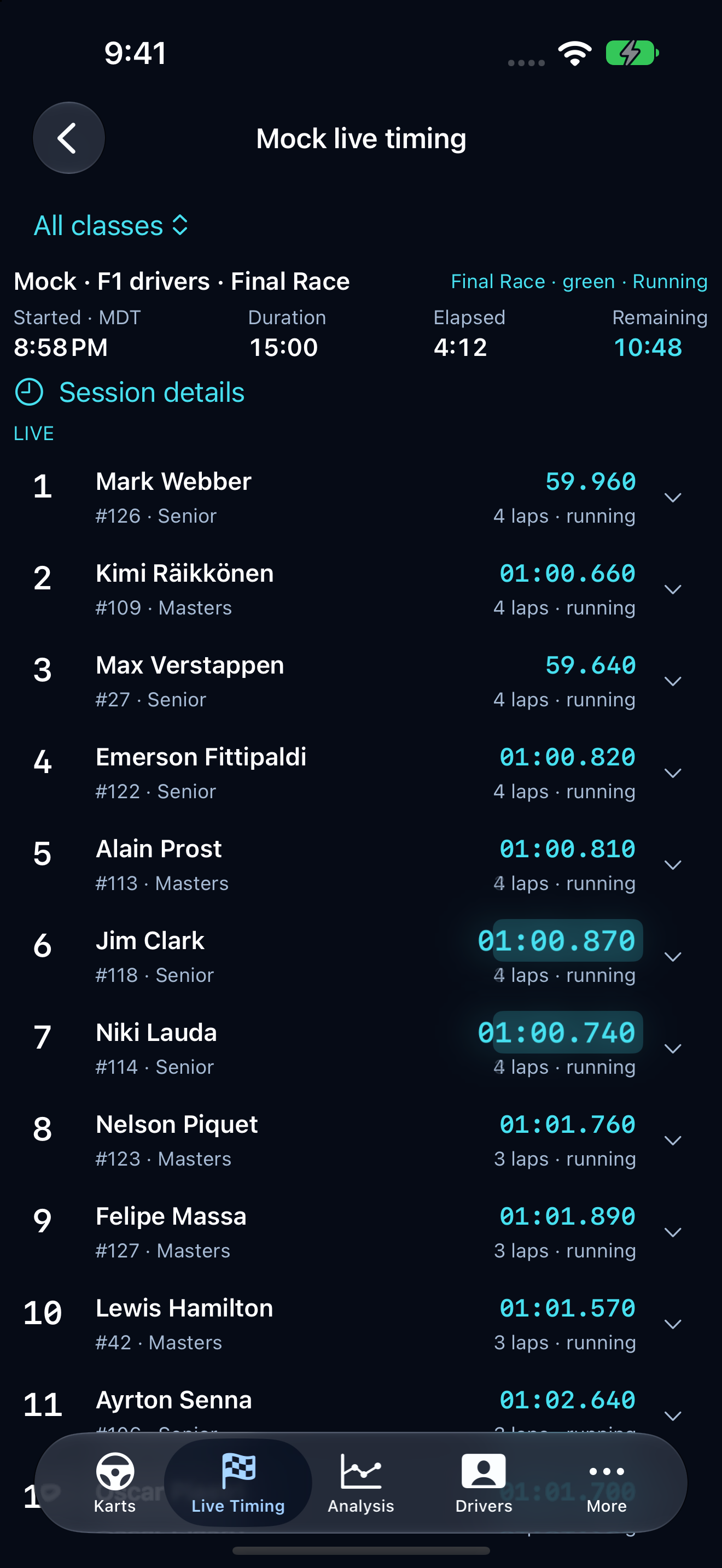
Follow a supported event’s running order and position changes. Requires a Team subscription, internet access and supported timing-provider coverage.
Share updates, photos and PDFs in the team feed, with team-wide or class-specific alerts. Requires a Team subscription.
Use supported Siri actions to reduce manual entry. Advanced Siri actions require iOS 27; the core app supports iOS/iPadOS 18+.
Use English, Dutch, French, German, Polish, Portuguese, Spanish or Traditional Chinese, with preferences for your racing workflow.
A clearer race-day experience, team synchronization and enhanced sign-in and team-access security.
Compare the same track, configuration, direction and kart. Review recorded setup changes, personal bests, best-observed gearing, pressure baselines, weather and lap consistency.
Generate an Event Report from selected completed sessions and share the debrief. AI-assisted capture and analysis require your review; they do not establish cause and effect or guarantee a faster lap.
Read the real app-generated Event Report →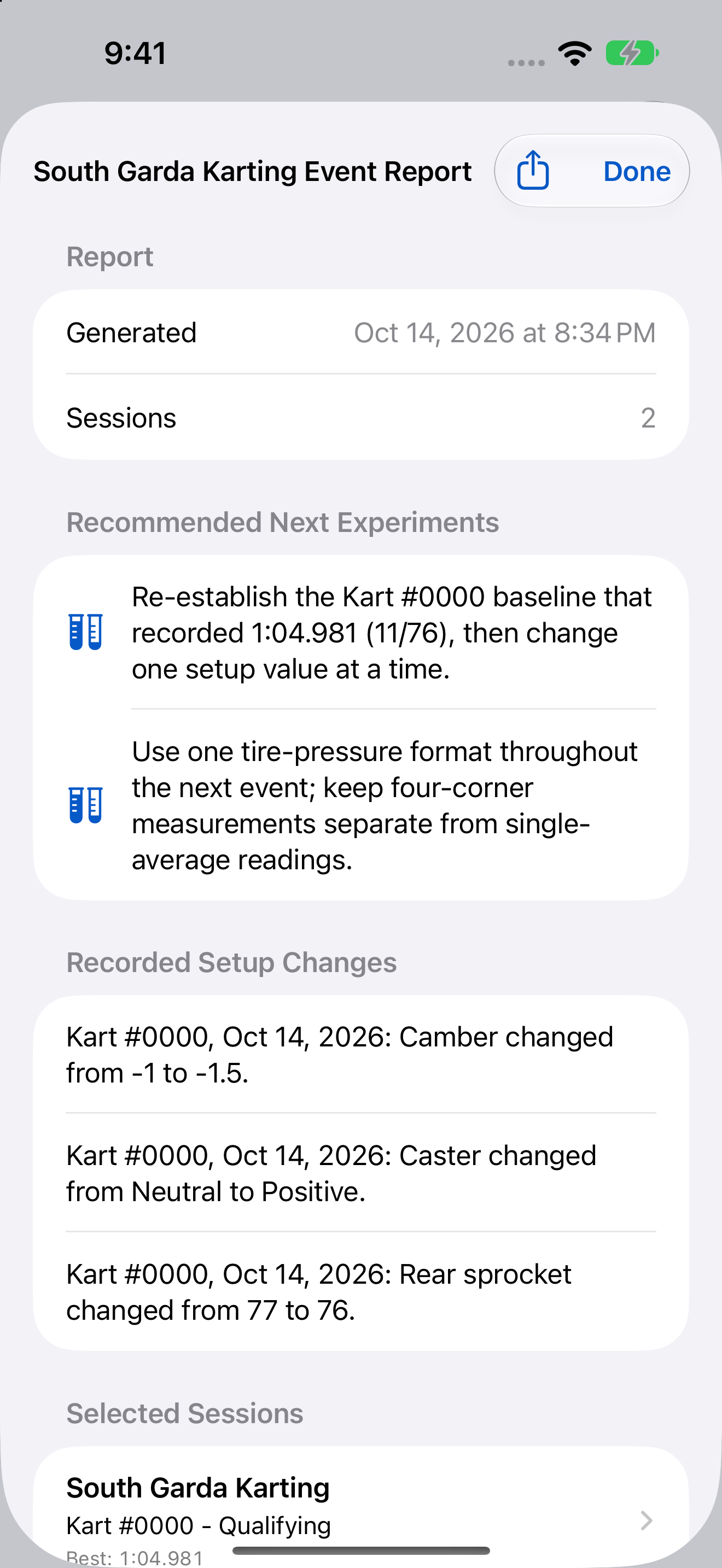
Follow the order as drivers move through the field. Watch Live Timing position changes in this authentic recording from the 5.0 development build, using the built-in Mock provider.
Live Timing requires a Team subscription, an internet connection and supported timing-provider coverage. Availability depends on the event and provider.
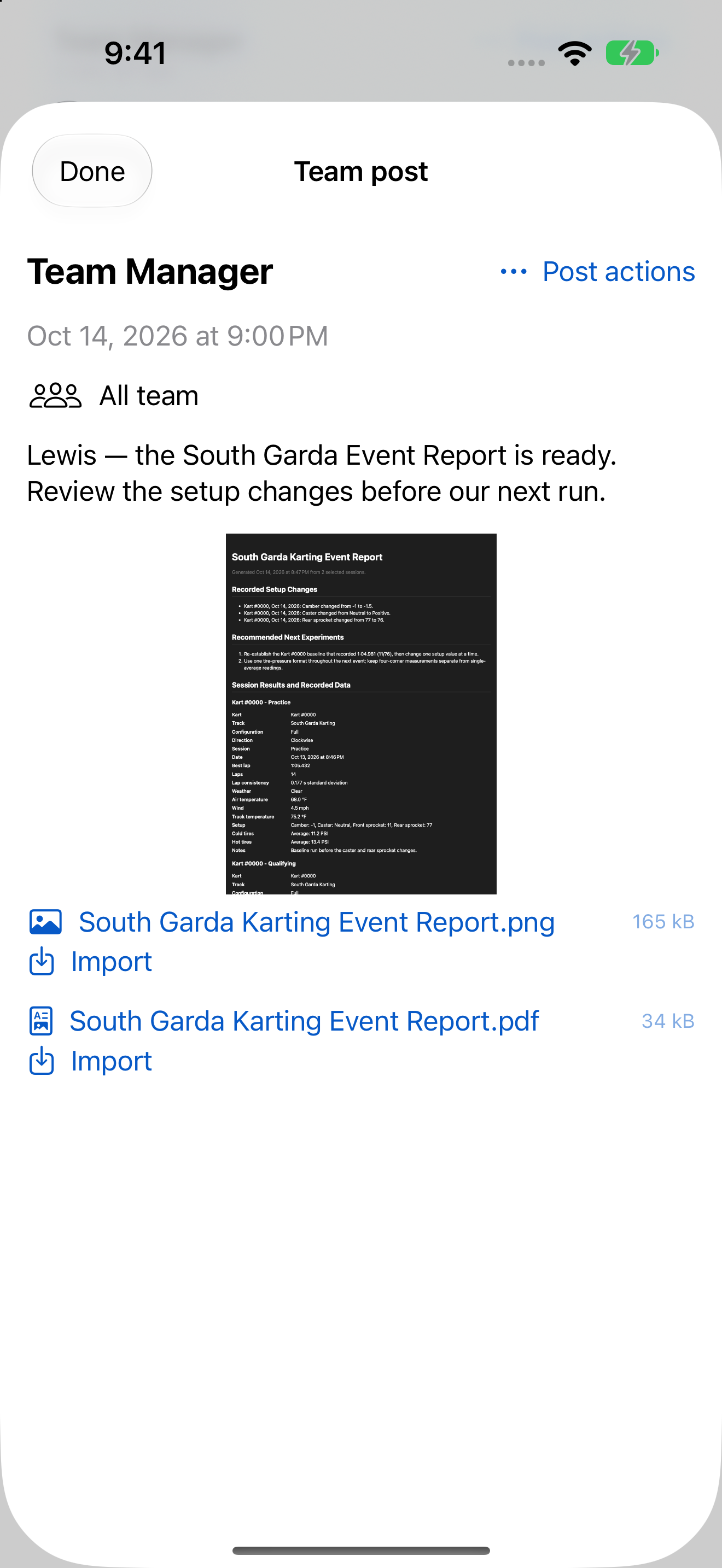
Keep team updates, photos and Event Reports together. Send team-wide or class-specific alerts.
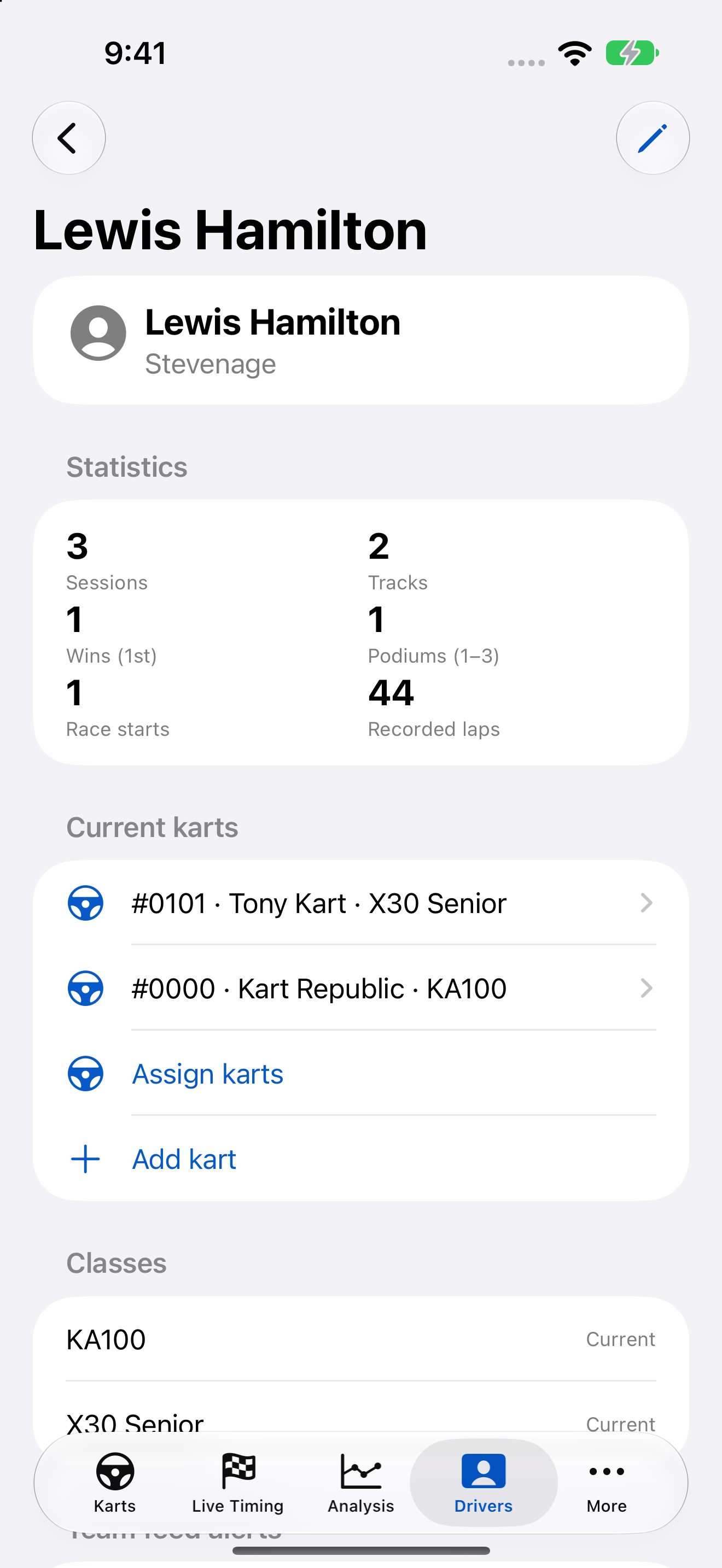
Connect drivers with their karts, racing history and personal details.
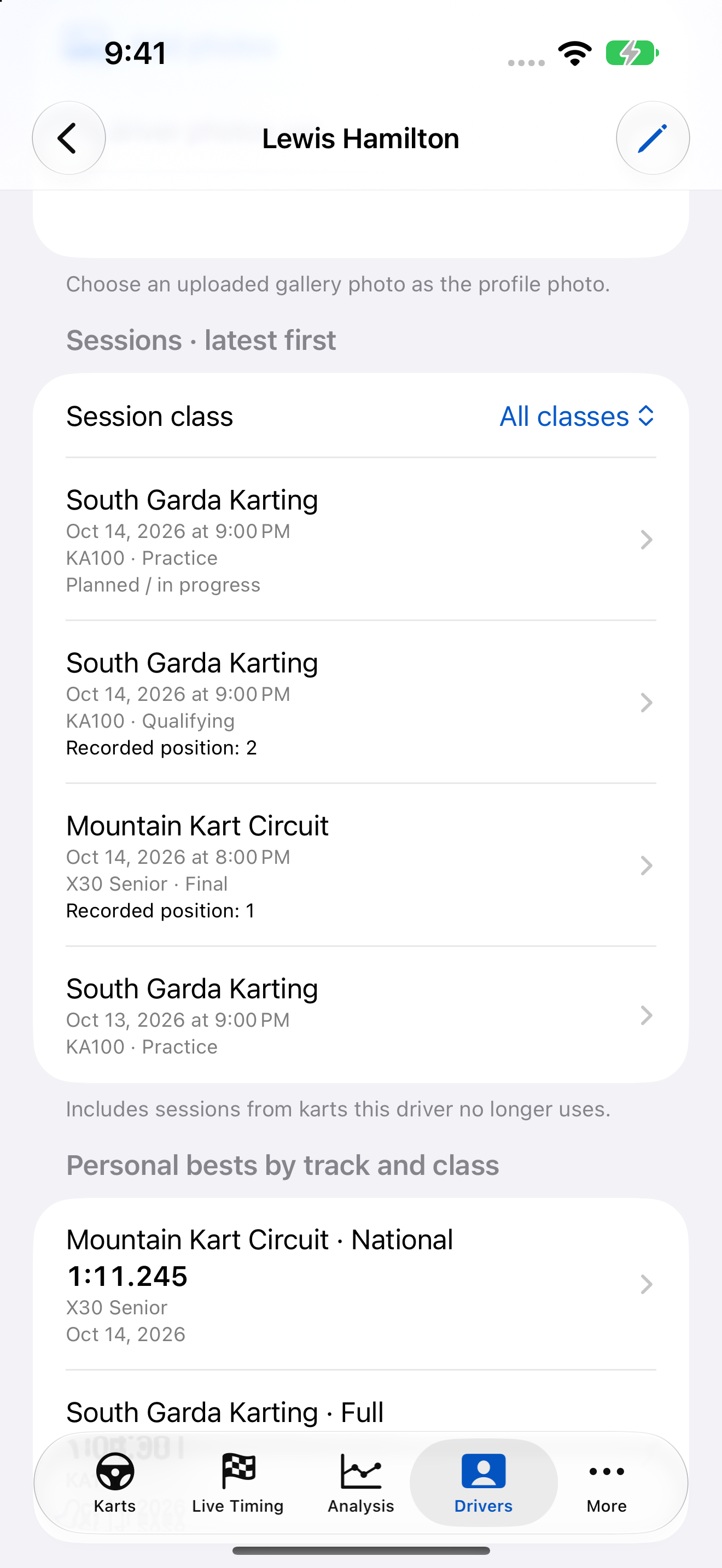
Review sessions, statistics and personal bests by track and class.
Bring recorded setup and session performance into a report you can review and share.
Team Communications requires a Team subscription. Team members can see all team posts; class targeting controls notifications, not post visibility.
Record kart setup, tire pressures, conditions, lap times, results and maintenance. Keep the changes alongside session performance so your history is useful when you return to the track.
AI-assisted capture can help turn photos of notes or a dashboard, such as an AIM display, into records. Review extracted values before saving. AI-assisted analysis and Event Reports also need your review—not blind trust.
The 5.0 update also brings a refreshed interface, improved synchronization performance, push notifications, passwordless email-link sign-in and enhanced team-access controls.
Open the app-generated Event Report →Core app: iOS/iPadOS 18 or later. Advanced Siri actions: iOS 27. Analysis and Event Reports require compatible Apple Intelligence devices, models and languages. Apple feature availability also varies by OS, region and model readiness.
The paid download includes local kart, setup, session, tire, photo, results and maintenance tracking. Live Timing and team features require a Team subscription. AI photo processing requires an active AI Image Processing subscription; connectivity, service availability and usage limits apply. AI results can be incorrect—review before saving or acting on them.
Version 5.0 is available and rolling out worldwide on the App Store. The core gallery retains authentic 4.0 captures of established workflows; team, driver and timing captures were made in the local 5.0 development build with example data. Android is available for early testing, not a public Play Store release.
A new Android version is available for early testing. Help shape the app with a two-week test of your own karting workflow.
This is an invitation to an early test, not a public Play Store release. We’ll confirm access and test arrangements with you before you start. The overview video shows iOS 5.0, not Android interface footage.
Ask Steve to join the Android testStart with the current iOS release, or ask Steve about Android early testing.